.NET Website
NASRIC Report Directory
Completed at Nassau BOCES · Senior Manager / Information Technology Applications Specialist III
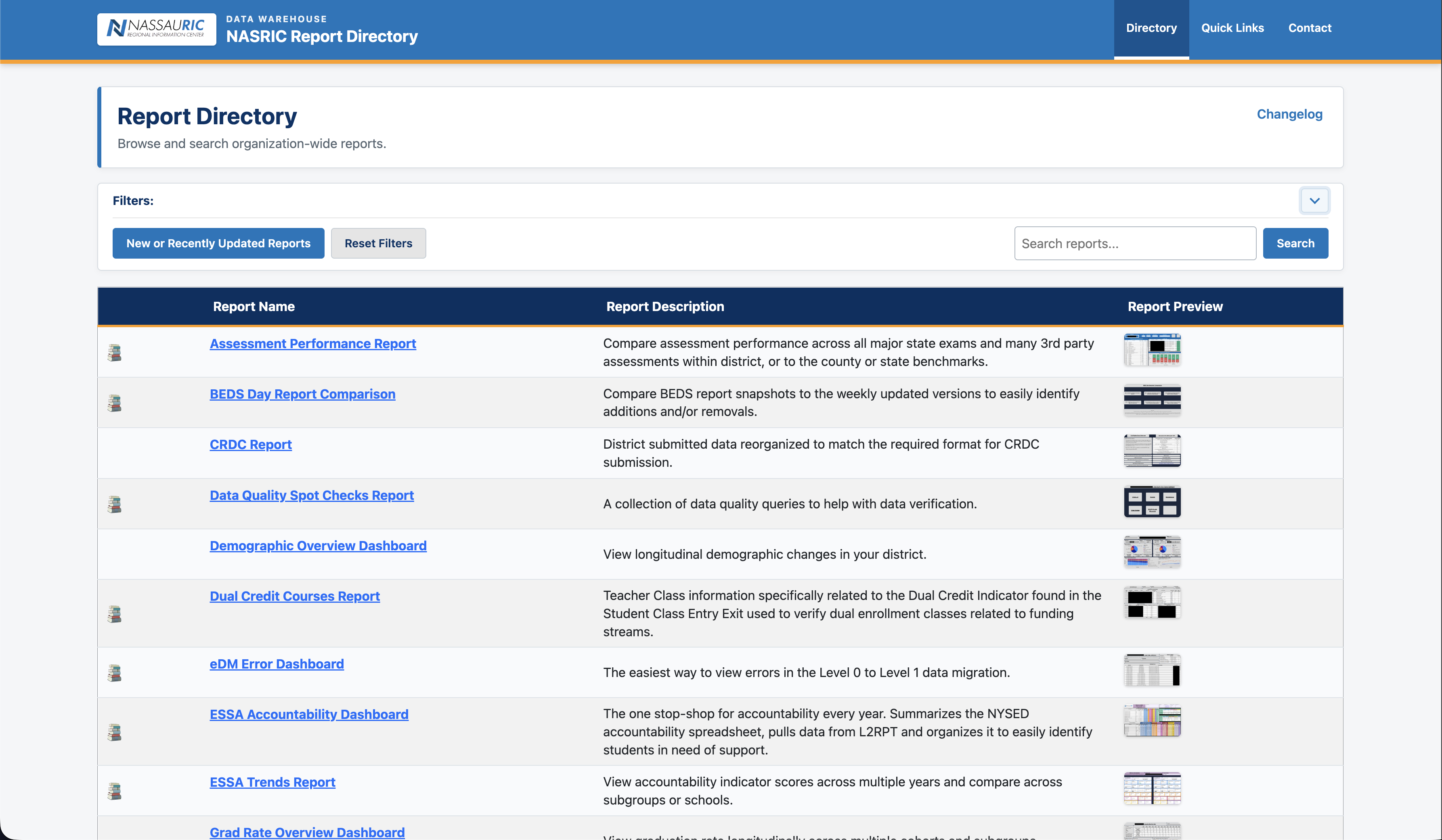
A front end for a relational database containing report information for all analytical reports hosted by the Nassau Regional Information Center.
Case study
From problem to outcome
A closer look at the need, the approach, the implementation, and the result.
The problem
The Nassau Regional Information Center hosts three unique reporting platforms. As one of the statewide RICs, we host an IBM Cognos L2RPT instance to provide the NYSED developed Level 2 reports to our component districts. We host a separate Cognos environment for Instructional reports and we host a Power BI service for compliance based reporting. The questions of "What report was that?" and "Where was that report?" came up with enough frequency that I decided we needed a better solution.
The approach
For a directory to be built, we needed an index of all of the reports across each platform. This lead us to a table with over 350 reports. I also wanted these to be filterable and searchable. This would allow users to find reports even if they didn't remember the name.
Implementation
The first phase was creating an organized structure for all of the report information. This included the obvious, the name, a description, the platform it belongs to and a link to the report. I also included fields for links to screenshots and documentation. This allowed me to setup quick links to report guides on the directory and mouse-over previews of the reports. The next challenge was filtering. I setup a dimension table of tags to use to identify the type of content in the reports. Utilizing a many to many relationship between the reports and the tags, I setup a configurable tagging solution that presents itself at the top of the report directory and acts as a live-filter for the report list view on the page.
Outcome
The website hosting the NASRIC Report Directory is quickly landing page for the RIC as a whole. Districts are now able to easily find the reports that they are looking for. The confusion of which platform to find the reports in is gone as this now acts as our reporting homepage.