.NET Website / SQL Database / Local AI Development
Managr
Personal project
As my professional responsibilities grew, I found myself searching for a better way to organize projects, tasks, reminders, and the many small details that come with them. After trying several popular productivity platforms without finding one that matched the way I naturally work, I decided to build my own.
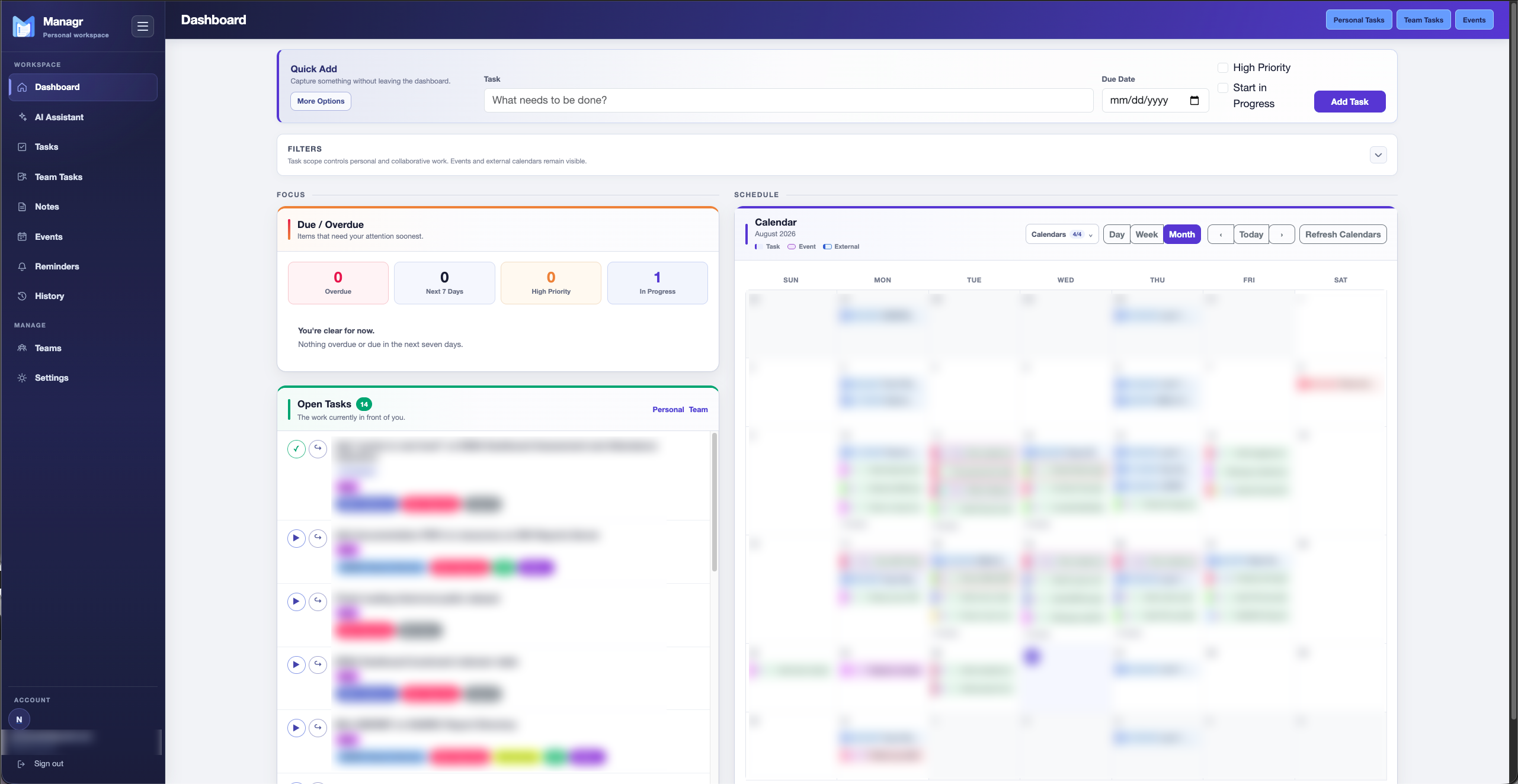
Managr is a self-hostable productivity and task management application built with .NET 10, Blazor, Entity Framework Core, and Microsoft SQL Server. It brings tasks, events, notes, external calendars, reminders, customizable tagging, and shared team functionality into a single workspace. Its API extends the application beyond the web interface, supporting integrations such as quick task creation from iOS and locally hosted LLM tools that can summarize tasks, notes, and completed work.
Case study
From problem to outcome
A closer look at the need, the approach, the implementation, and the result.
The problem
I needed a better way to manage a growing mix of professional projects, responsibilities, reminders, and personal tasks. I tried several popular productivity platforms, including Notion, TickTick, Todoist, and Microsoft Planner, but none organized information in a way that felt intuitive to me. Rather than continue adapting my workflow to fit an existing product, I decided to build a system around the way I naturally plan, prioritize, and track work.
The approach
Because I was already comfortable with C# and .NET Framework Web Forms, I wanted to stay within the .NET ecosystem while using the project as an opportunity to adopt a more modern architecture. I chose .NET 10 with Blazor and Entity Framework Core, using a code-first approach instead of the SQL-first development style I typically use for web applications. Built-in .NET authentication handled identity and access, allowing me to focus on iteratively designing and refining the application around my own day-to-day workflow.
Implementation
To keep the project inexpensive and self-contained, I deployed Managr to an existing Linux-based Docker server that I already use for other self-hosted services, making the domain name the only significant new hosting cost. Cloudflare dynamic DNS and an Nginx reverse proxy provide secure remote access from anywhere with an internet connection. I also developed API functionality for both reading and creating data, including integration with an iOS Shortcut that lets me quickly add tasks and reminders from my phone. The same API supports several predefined queries that send selected application data to a locally hosted LLM to generate a daily overview, an executive summary for a selected date range, or a summary of notes within a chosen category.
Outcome
Managr has become a tool I use every day for both professional and personal organization. It gives me a single place to capture responsibilities, assign priorities, track upcoming work, and reduce the mental overhead of remembering what still needs attention. The LLM-assisted summaries make it easier to quickly understand outstanding tasks and upcoming deadlines, while also giving me a simple way to summarize completed work for supervisors over a selected period. What began as an experiment to solve my own productivity problem has developed into a practical, continuously evolving application that is now part of my daily workflow.